How to Create a Fly Box: Organization for Trout Streams
By My Custom FlyBox Team
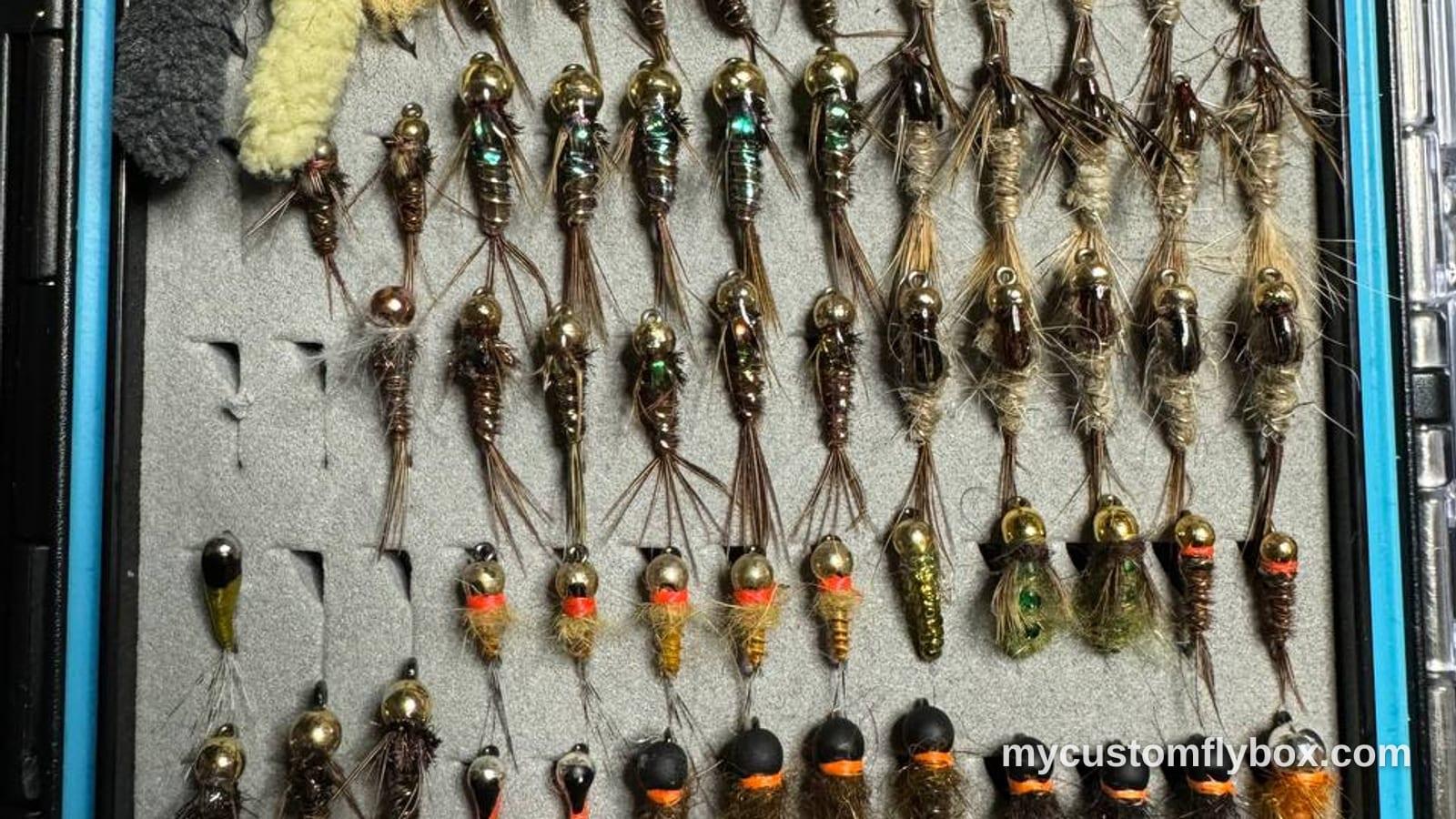
How to Create a Fly Box: Organization for Trout Streams
A fly box that is organized for the river you are fishing saves time on the bank and catches more trout. A fly box that is just a junk drawer of random patterns wastes time, creates frustration, and leaves you without the right fly when a hatch is on.
This guide covers how to set up a fly box, how to organize patterns by category and size, and how to use the My Custom FlyBox app to plan your box before each trip.
Choosing Patterns Before You Pack
Most anglers start by buying flies they like or patterns they hear about. That works until you are standing on a river with thirty unsorted flies and cannot find the one you need. Instead of building your box by pattern, build it by job.
Every fly in your box should have a purpose:
- Searching dries: high-floating flies you cast when no fish are showing but the water looks fishable
- Hatch-matching dries and emergers: patterns that imitate specific insects in the sizes and colors trout are feeding on
- Nymphs: patterns that imitate underwater insects across multiple life stages
- Wets and soft hackles: swinging flies that cover water when fish are below the surface but nymph rigging is not ideal
- Streamers: patterns that imitate small fish, leeches, or large insects to trigger reaction strikes
Sort your flies into these groups before you pack. Each group gets its own section in the box. Within each group, order by size from largest to smallest.
Core Patterns for a Trout Fly Box
You do not need to carry every pattern ever tied. A compact selection of versatile flies covers most trout streams in New York and Pennsylvania:
Dry flies
- Adams: sizes 14, 16, 18, 20
- Elk Hair Caddis (tan and olive): sizes 12, 14, 16
- Parachute Adams: sizes 16, 18, 20
- Stimulator: sizes 10, 12
Nymphs
- Pheasant Tail: sizes 14, 16, 18, 20
- Prince Nymph: sizes 12, 14
- Hare's Ear: sizes 12, 14, 16
- Zebra Midge: sizes 18, 20
- Caddis Pupa (tan and olive): sizes 14, 16
Wets and soft hackles
- Partridge and Orange: sizes 14, 16
- Black soft hackle: sizes 16, 18
Streamers
- Woolly Bugger (black and olive): sizes 6, 8
This selection gives you roughly thirty flies. It is not exhaustive. It is enough to fish productively on most trips.
Organizing the Box
A standard fly box has two halves with removable trays. Use one half for dries and emergers, one half for nymphs and wets, and keep streamers in a separate small box or patch.
Dries and emergers Place dries by size across the tray. Put the largest pattern (Adams size 14) on one end and the smallest (Parachute Adams size 20) on the other. This lets you scan the row and pick the right size without lifting every fly.
Keep hatch-specific dries near the matching attractor. If you fish the Beaverkill in May and the Hendrickson is the main event, put the Hendrickson dry next to the Adams so you can swap between them quickly.
Nymphs Organize nymphs by pattern type. Keep Pheasant Tails together, Prince Nymphs together, and so on. Within each pattern, arrange from largest to smallest. This is less critical than the dry fly row because you switch patterns more often than sizes when nymphing.
Wets and streamers Keep a small separate box or velcro patch for wets and streamers. These flies are often larger and will crowd out smaller patterns if placed in the same compartment.
Planning with the My Custom FlyBox App
The My Custom FlyBox app makes it easy to plan your box before each trip instead of guessing at the water:
- Open the app and navigate to the Fly Box section
- Tap "Create New Fly Box" to start a fresh box
- Name the box for the river or conditions you are fishing: for example, "Catskills May" or "West Branch June"
- Browse the fly pattern library and filter by type, size, or hatch timing
- Tap each fly to add it to your box: it takes two taps per fly
- Adjust quantities as needed before your trip
The app shows which patterns you already have, what sizes are available, and which flies have the best match for the hatches on your target water. You can create multiple named boxes for different rivers, seasons, or fishing styles and switch between them before each trip.
Packing for the River
Once your box is organized at home, you still need to pack it for the trip. What goes in your vest or pack matters as much as what stays in the box:
- Tie your point fly and dropper before you leave the truck
- Carry a spare leader and tippet in a waterproof container
- Bring nippers, forceps, and a small jar of floatant
- Pack a small fly vest or pack with pockets for the box, tools, and tippet
- If you are fishing two different presentations (dry and nymph, for example), carry two small boxes instead of one large one
A pre-tied rig on the water saves three to five minutes per fly change. Over a long day, that adds up to meaningful time at the water.
When to Change Your Box
Rotate patterns through the season as hatches change. What works in May does not work in September. At the end of each month, pull out flies that no longer match the active hatches and replace them with patterns suited to the current season:
- Early spring: nymphs and small streamers dominate. Reduce dry fly selection.
- Late spring: mayfly dries increase. Add size 12 through 14 dry patterns.
- Summer: caddis and terrestrials become important. Add ants, beetles, and foam patterns.
- Fall: BWOs return. Scale back large dries and focus on sizes 16 through 20.
The app makes this rotation easier. Each box can represent a different season or water type. When the season changes, create a new box and copy or reorder patterns from the previous one.
Keeping the Box Honest
A fly box accumulates flies faster than it loses them. Pull out flies monthly during the season:
- Remove flies with damaged hooks or faded bodies
- Check that each pattern still matches the hatches on the river you fish
- Delete patterns you have not used in three consecutive trips
- Add new patterns only if they fill a specific gap in your current selection
A clean box forces you to carry only flies that catch fish. It also makes it easier to see what you are missing when a new hatch or condition appears.